Set up Push Notifications for iOS
How to Set Up Push Notifications for iOS Project.
You must have a project created in firebase and the "GoogleService-Info.plist" file must be added to your Xcode project
How to create FCM project?
You need create key in you Apple developer account. Go to https://developer.apple.com/account/resources/authkeys/add
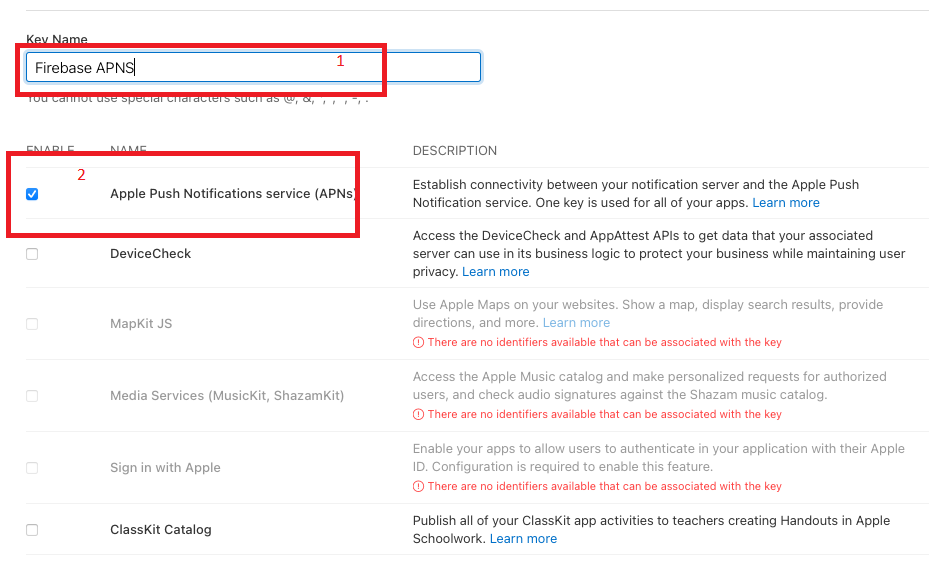
Enter key name (1) and check Apple Push Notifications Service (2). Then click "Continue", copy to buffer "Key ID" and then click "Download" button
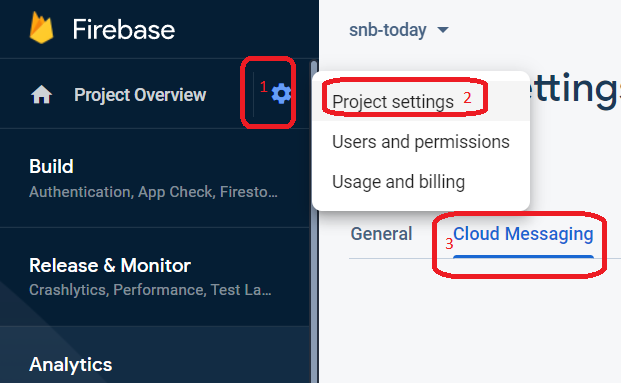
Open you firebase project and go to cloud messaging section
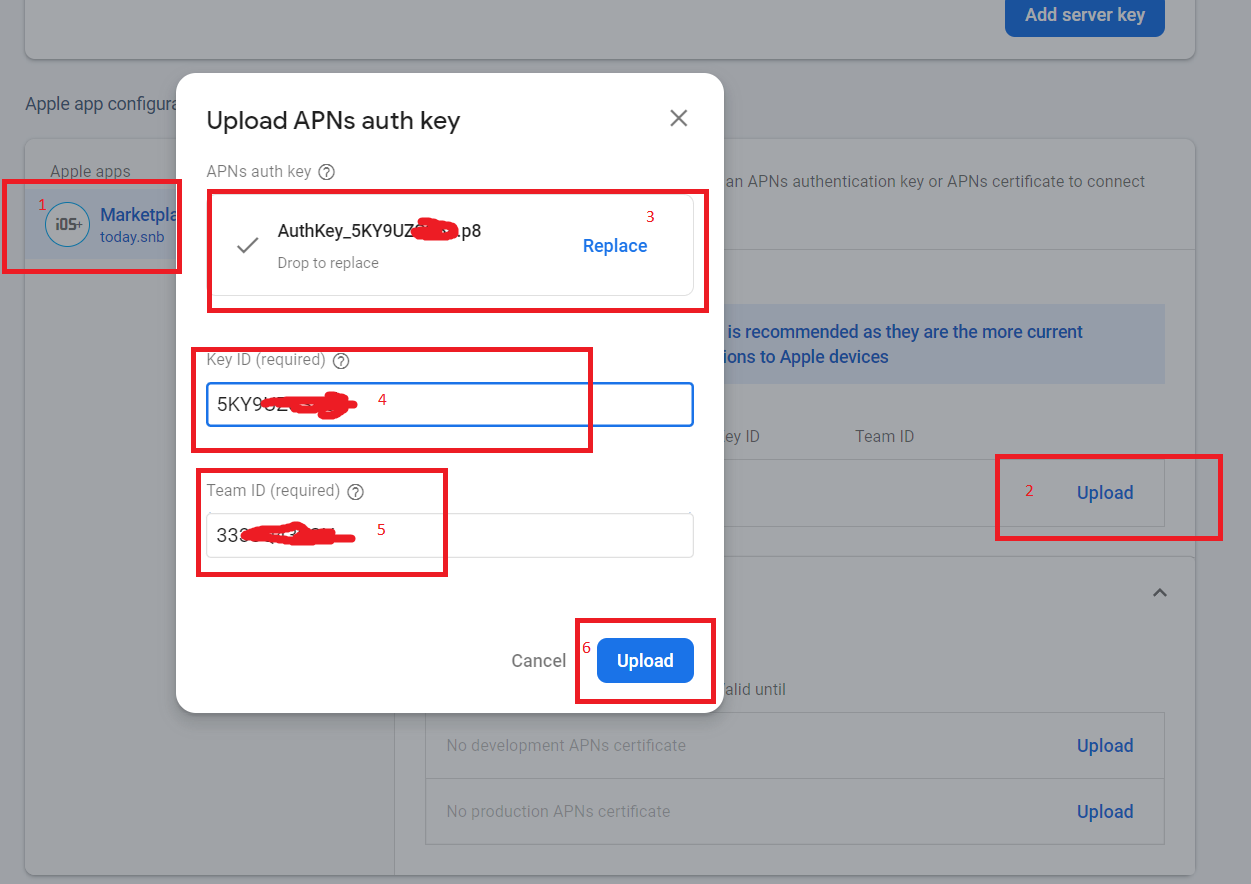
Select or add you ios app (1), click "Upload" (2), select you downloaded key (3), paste you "Key ID" from buffer (4), and enter "Team ID" (5)
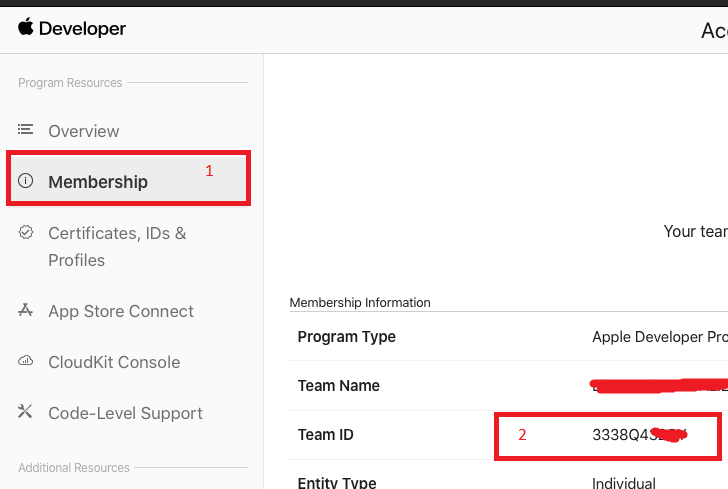
"Team ID" you can find here (see screenshot)
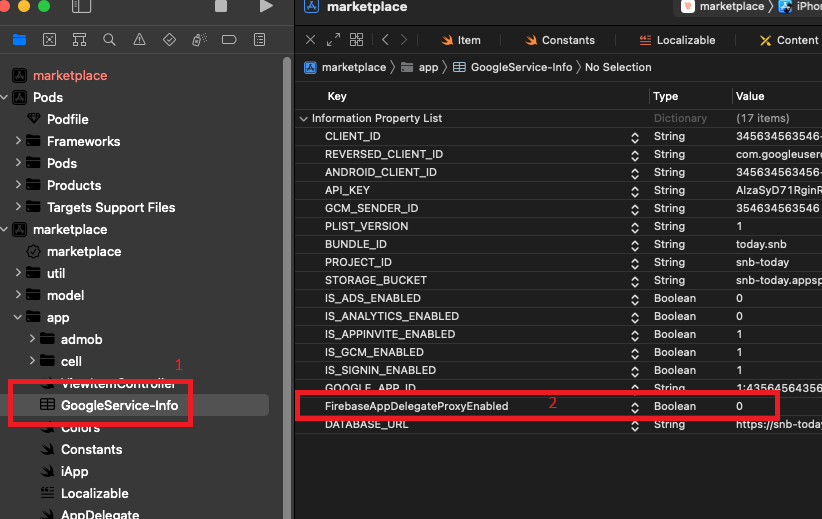
Open you "GoogleService-Info.plist" and add line (see screenshot)
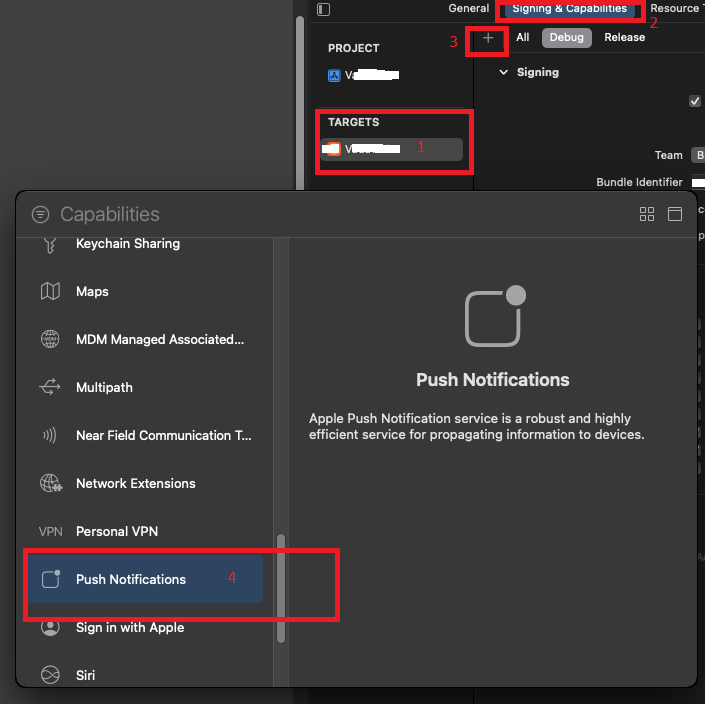
You need add Push Notifications feature to project (if not previously added)
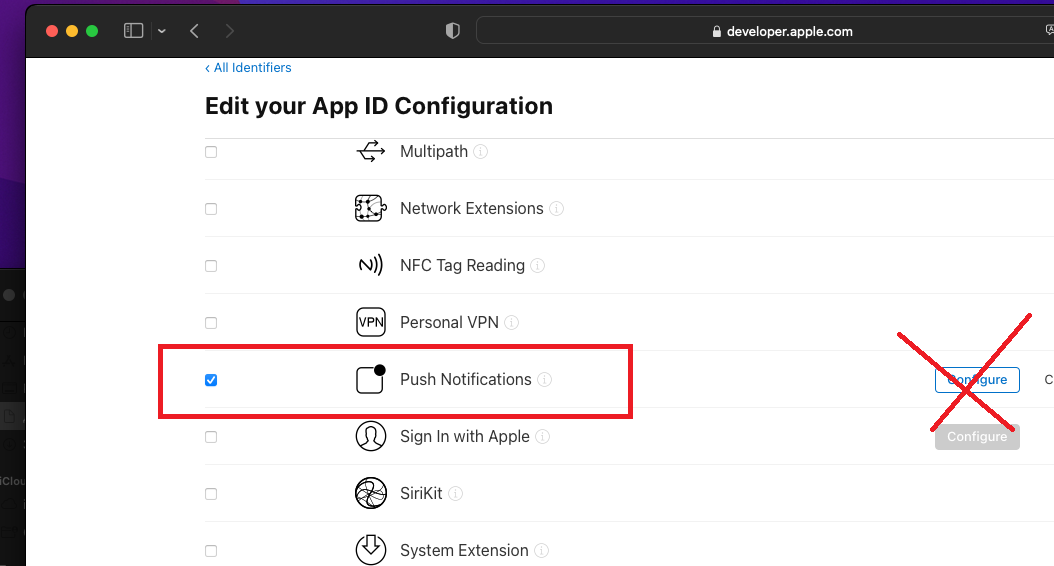
Also don't forget to create (register) your app (Bundle ID) and enable Push Notifications for it:
https://developer.apple.com/account/resources/identifiers/list