
How to set up phone number authorization (OTP)?
This section contains information for setting up authorization using a phone number (checking a phone number using SMS). Information for Web, Android and iOS.
If the project has a website for users - your site must have Google reCAPTCHA configured: https://ifsoft.co.uk/help/how_to_add_google_recaptcha_v3_to_you_site/
You must have a ready-made project in Firebase Console and your project (Android, iOS and web applications) must be configured to work with FCM (Firebase Cloud Messages): https://ifsoft.co.uk/help/how_to_create_fcm/
go to https://console.firebase.google.com/ and select you firebase project
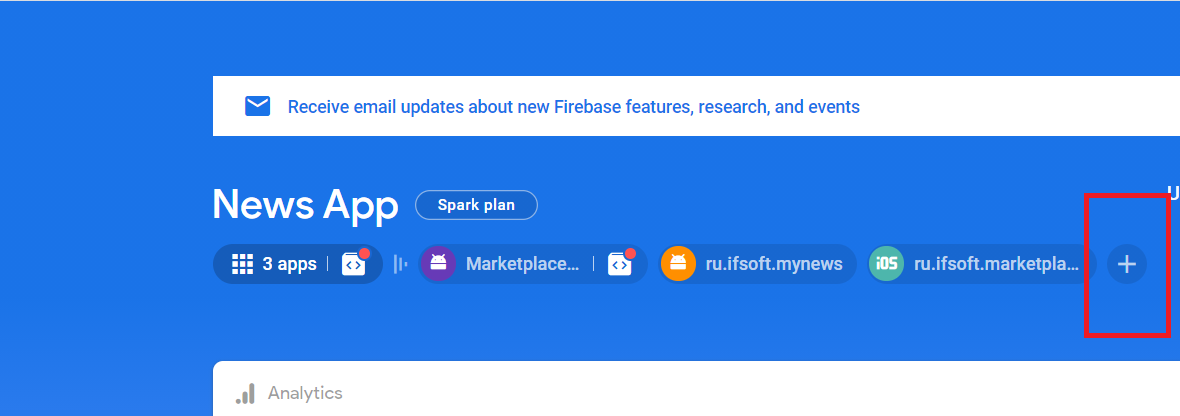
Click + to
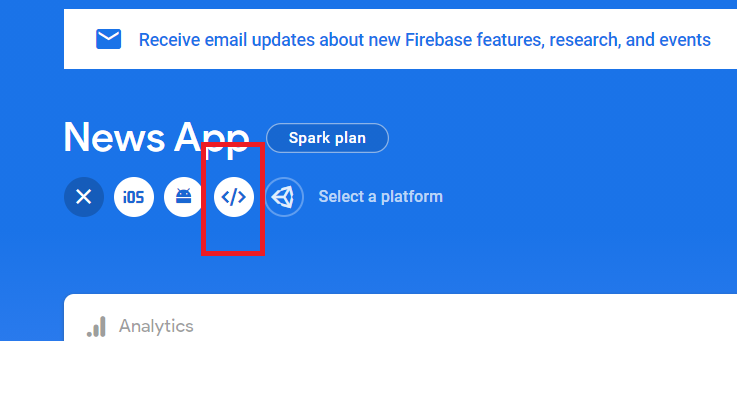
Click (<\>) icon to add Web project
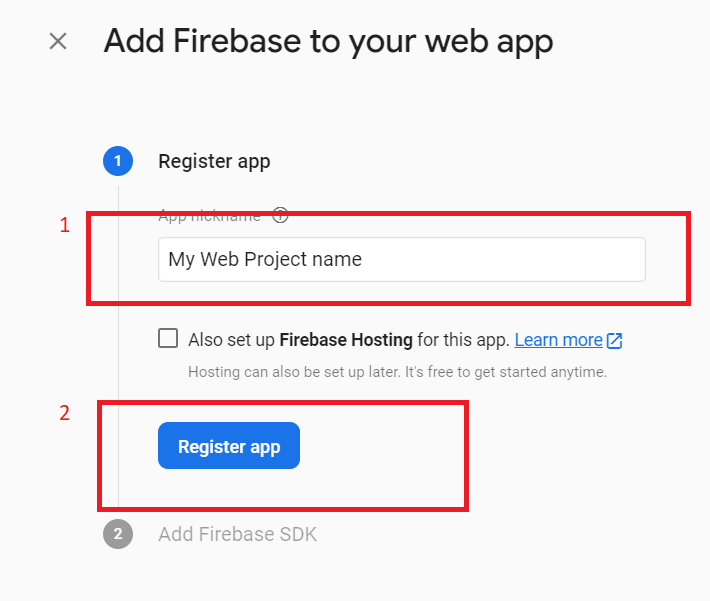
Enter you Web Project name (1) and click "Register app" button (2)
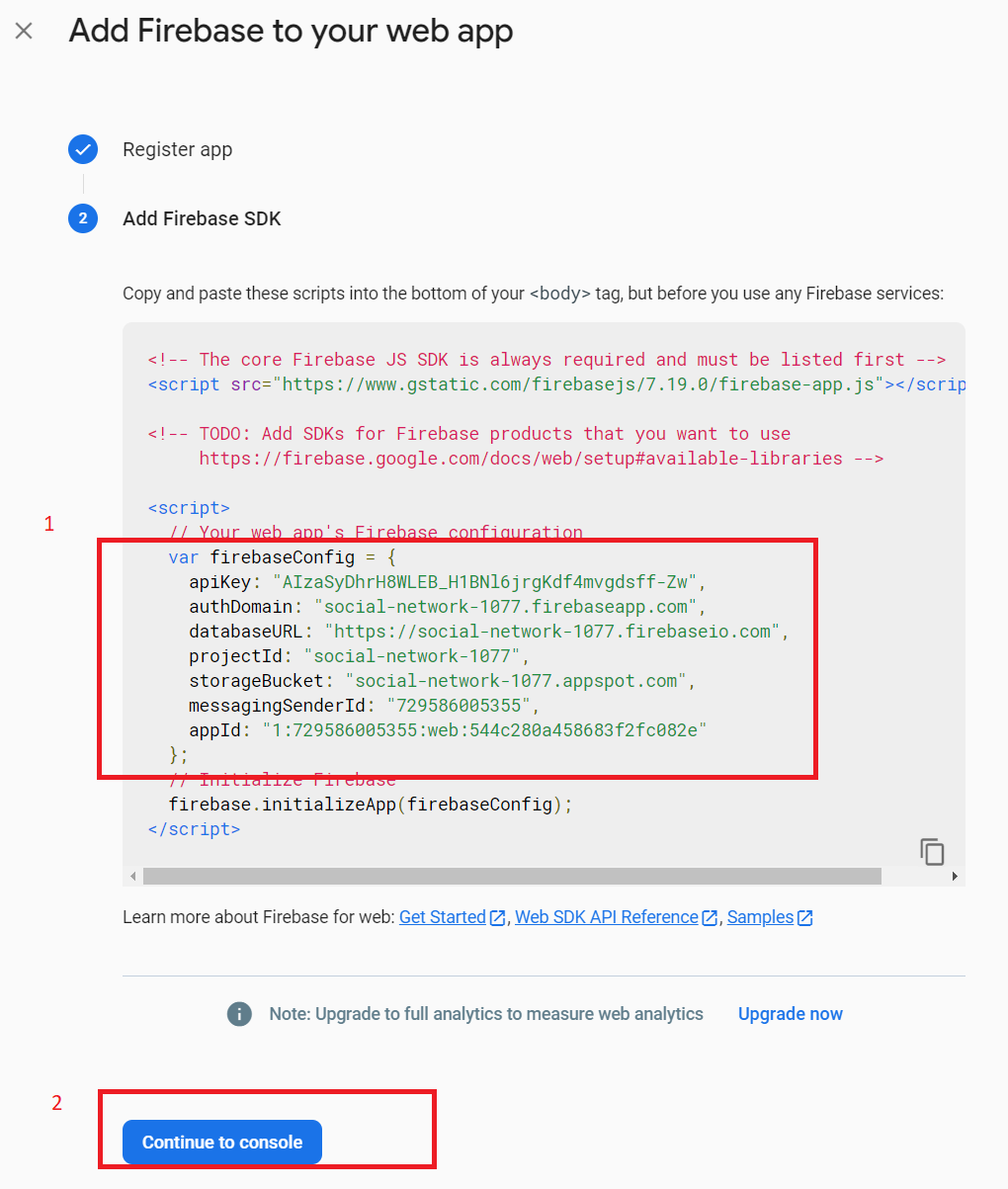
Select and copy js code fragment (see screenshot) to file "js/firebase/config.js"
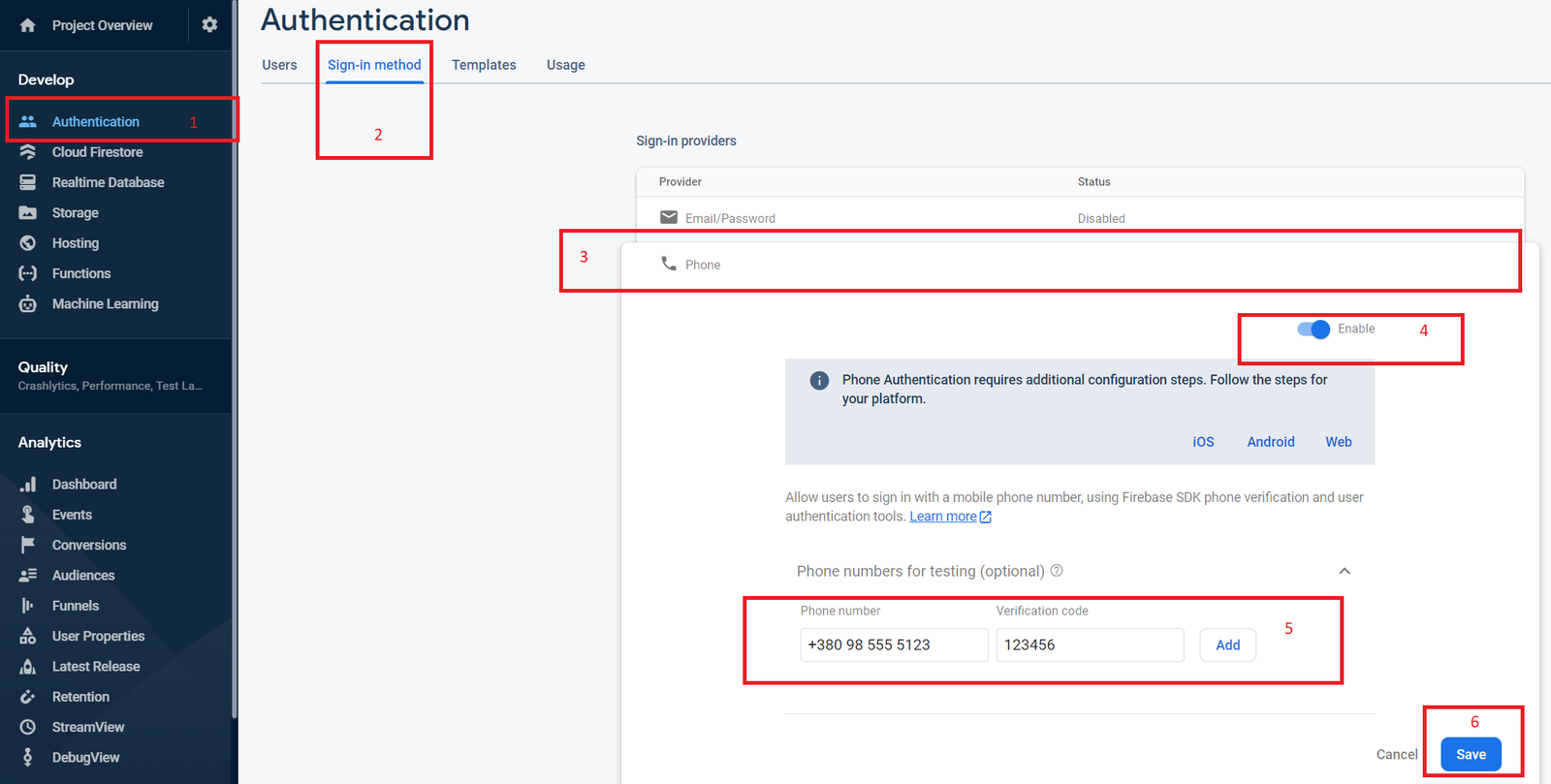
Go to "Authentication" section (1) in you firebase project, select "Sign-in method" tab (2), click item "Phone" (3), switch to "Enable" (4), you can add phone number and sms code to test (5), and click "Save" (6)
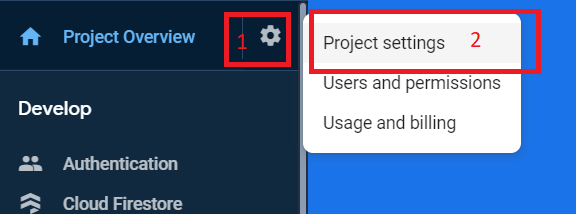
Click gear icon (1) and select "Project settings" menu item (2)
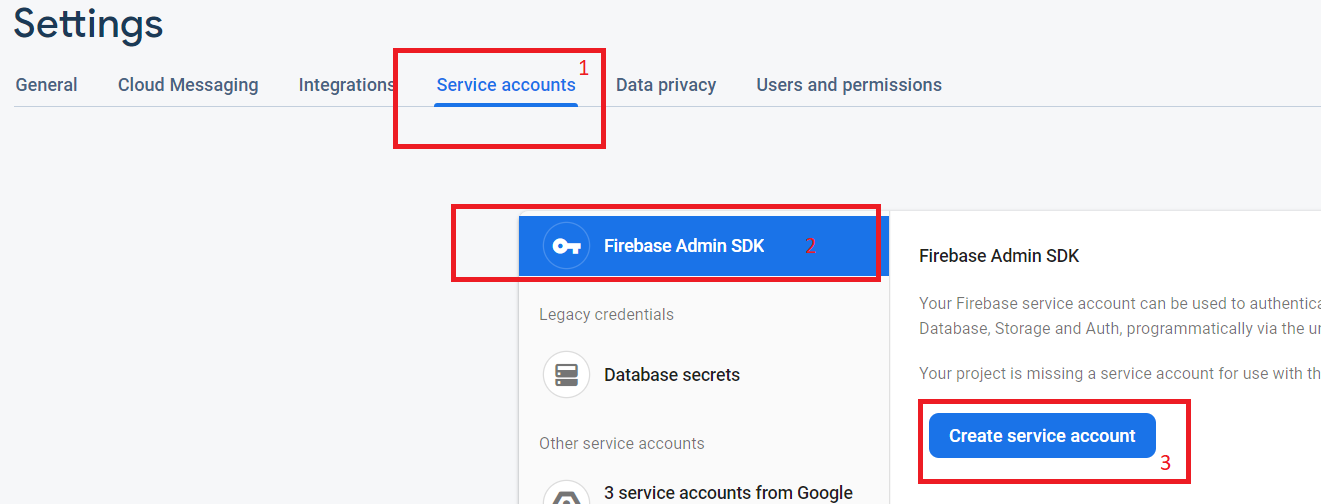
Click "Service accounts" tab (1) and select item "Firebase admin SDK" (2), click "Create service account" (3)
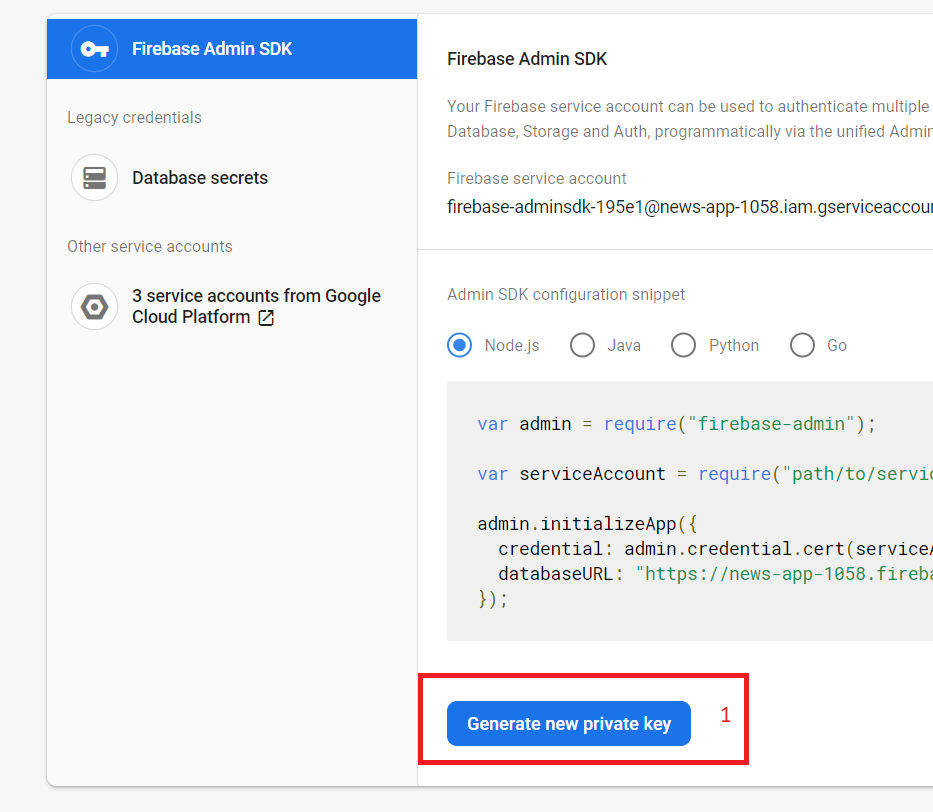
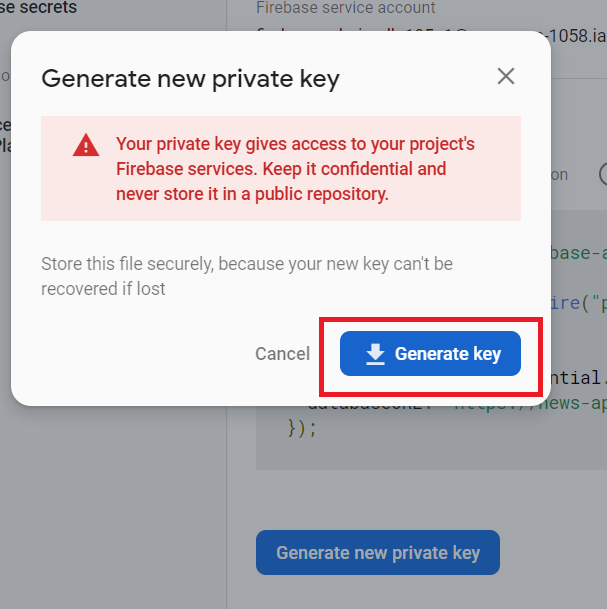
Click "Generate new private key" button (1)
Click "Generate key" button and downloaded json file copy to you server side folder "js/firebase/"
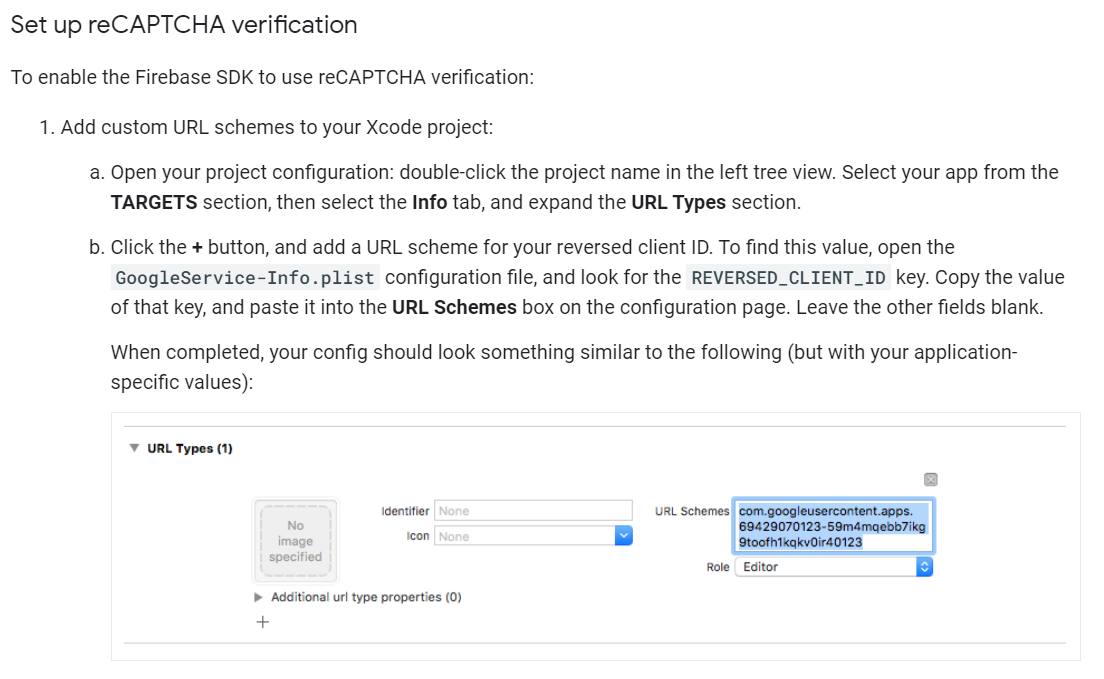
To set up OTP in an iOS application, you need to set up Google reCAPTCHA, see the screenshot from the official Firebase documentation and follow the instructions
All. Test. If you did everything right, you shouldn't have any problems. For testing purposes, I recommend adding the number and verification code as shown in step 8, because Firebase does not allow very many requests to be sent from one device.