How to generate SENDER_ID and API Key?
Many people do not know how and where to get the API KEY and SENDER ID, so we have created this guide to getting API KEY and SENDER ID. Here you can learn how to get the API KEY and SENDER ID for your project. To get the API KEY and SENDER ID need to follow some simple steps:
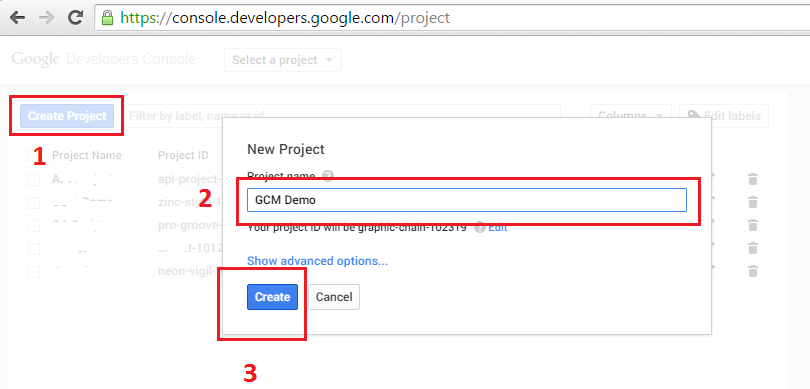
Log in or sign up https://console.developers.google.com
Click -> Create Project
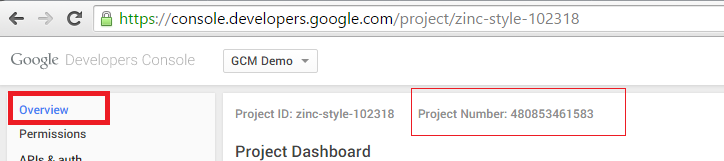
Get Your SENDER ID: Your Project Number As A Sender ID
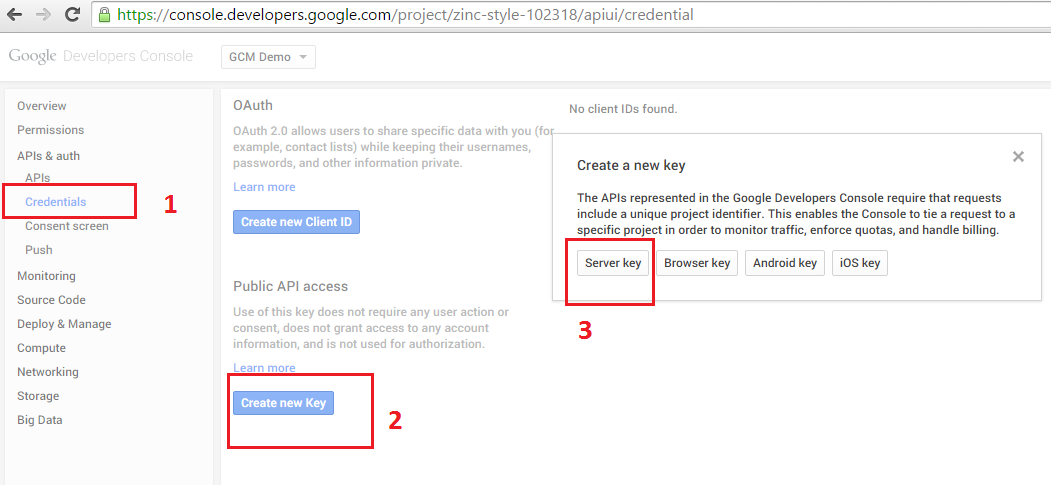
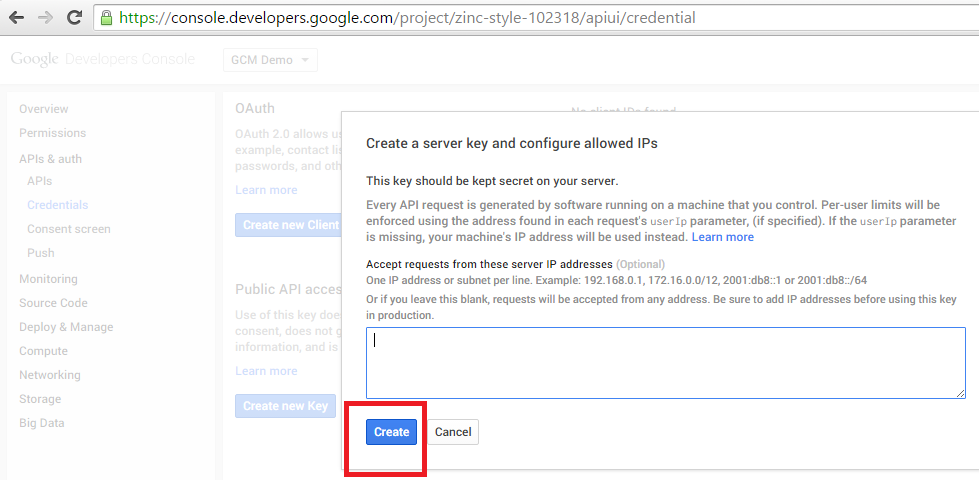
See Credentials -> Create New Key -> Server key
In the dialog that appears, click -> Create
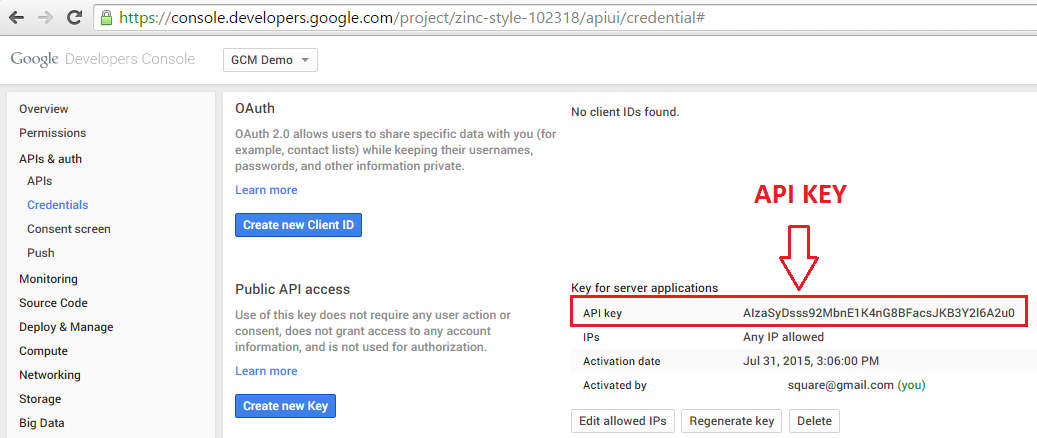
Get Your API KEY
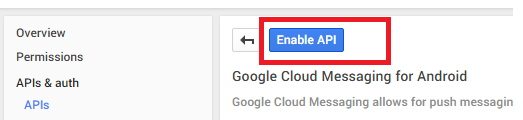
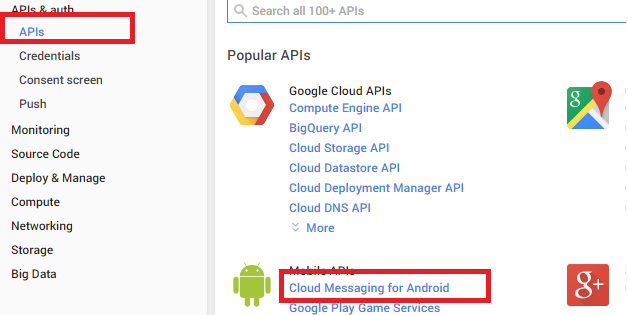
Select APIs section. Click -> Cloud Messaging for Android
Click -> Enable API